With the installation of the iOSXpert PluginCenter we provide you with two new functions free of charge, which support you in your information and deletion obligations according to GDPR. To use these functions, you need to be logged in to your Daylite system as a superuser. Here you will find a HelpCenter article that explains how to gain superuser access.
Table of contents
GDPR functions
GDPR functions
Export Daylite data GDPR-compliant
With the function Export GDPR-compliant you can export a data set with all its linked objects with a few clicks, or unlink the data set with other objects.
The data export is exported in JSON format. JSON is a machine-readable data format that can also be opened in a text editor.
| Please note: Please be careful when sending such a file. Anyone who has an unencrypted JSON file can open it and is then in possession of all exported data. We recommend to send such data exclusively encrypted. |
To export data records in compliance with GDPR, proceed as follows:
- Select the menu Plugins -> Export GDPR-compliant data set...
- In the following window, check the records you want to export
- Decide whether keyword and category names should be exported with the contact
- Select the storage location
- Click Continue to complete the export process
Attention: An error message may appear while exporting the data. The reasons for this are:
- damaged or undetectable attachments
- E-mails on demand
- Click Ignore All Errors of this kind to skip all errors of this type and continue the export
- Click Ignore this Error to skip the displayed error
- Click the Abort button to return to the selection of the data records
If you need help with the technical implementation of the export process, we are at your disposal within the scope of a support appointment.
Delete Daylite data GDPR-compliant
Right to erasure
With the function Delete GDPR compliant you can delete a data set with all its linked objects with a few clicks, or unlink the dataset with other objects.
Please note that your obligation to delete may also conflict with corporate retention obligations. For example, if you have information used to create invoices stored in Daylite objects, you may not delete them and remain GDPR compatible.
If you tick a personal data record within the function dialog for deletion, our deletion function supports you by ticking all data records that are exclusively linked to this person. You can then deselect individual objects. It is essential that you set the deletion indicator within the deletion dialog carefully.
Here are some examples of data that you do not have to delete or are not allowed to remove:
- billing-relevant information
- records containing textual details on several persons
- information that you need to document services performed
If you are unsure which data you may delete and which you must keep, we recommend that you consult a privacy policy expert.
| Attention: Permanently deleted objects cannot be restored. If you delete records by bypassing the trash, they are irrevocably deleted. If you move the data to the recycle bin, it must be emptied to delete the data records permanently. |
For example, if you delete a contact, it disappears from all links it had with other objects, such as appointments, tasks, or notes. So you don't always have to delete all records associated with a contact. If there is no personal information in a linked appointment or task, it can remain in your system.
To delete data records in accordance with GDPR, proceed as follows:
- Go to the menu Plugins -> Delete Data Record GDPR-compliant...
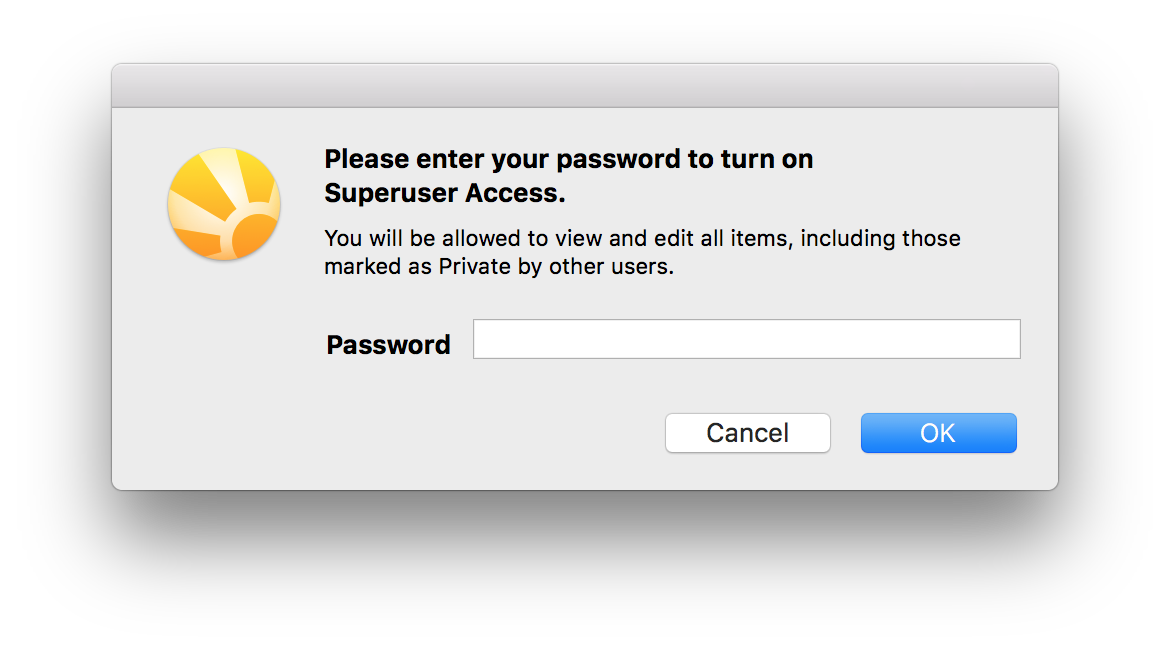
- In the following dialog, enter the password for superuser access
- In the following window, check the records you want to delete
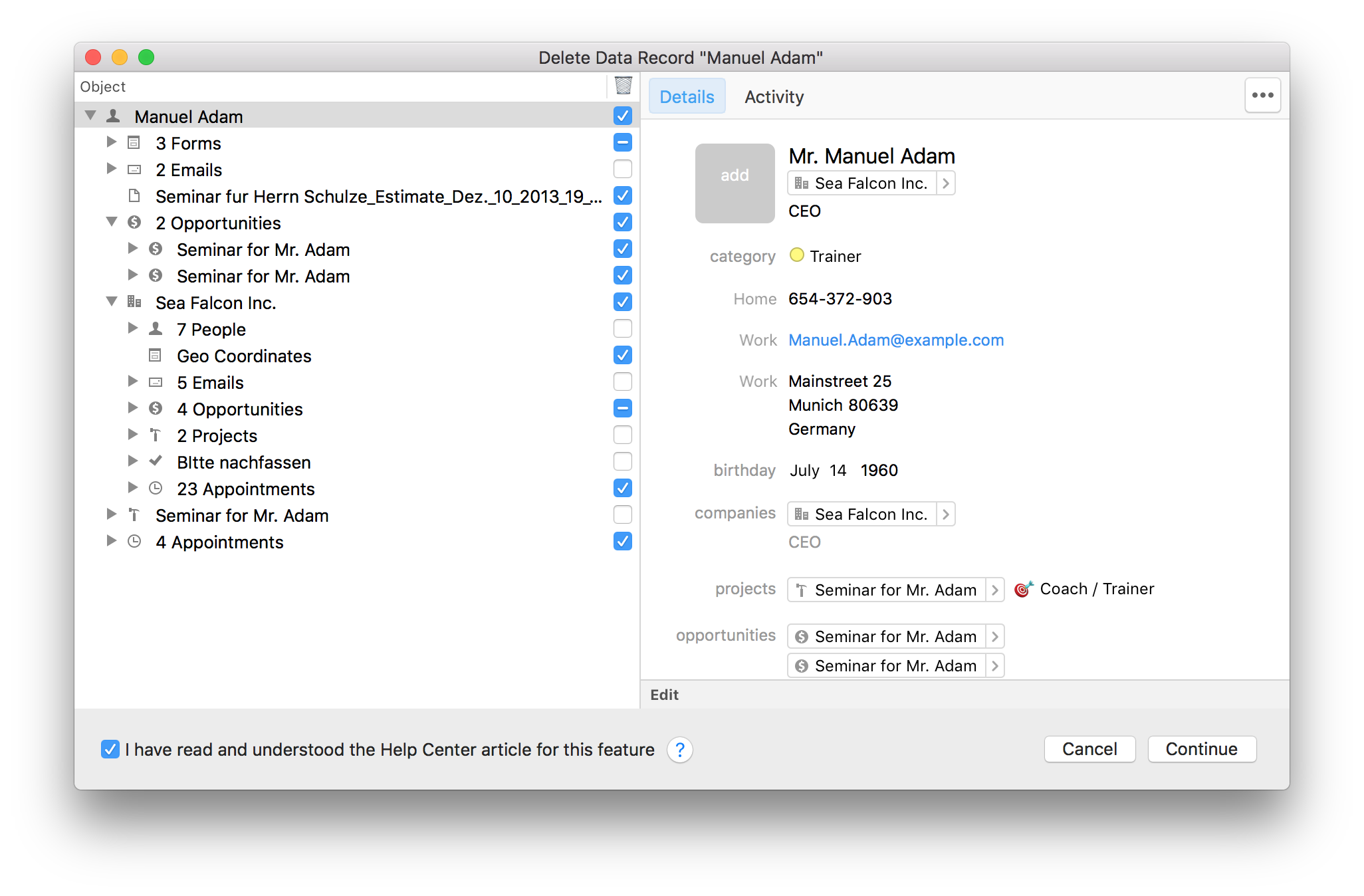
- Data records that are checked are deleted
- For records, such as notes and e-mails that are unchecked, the link is removed
- Confirm the deletion process by checking the checkbox I have read and understood the HelpCenter article for this feature
- Click on Next
- In the following dialog box, select whether you want to
- Move objects to the trash or
-
Permanently delete objects (GDPR-compliant)
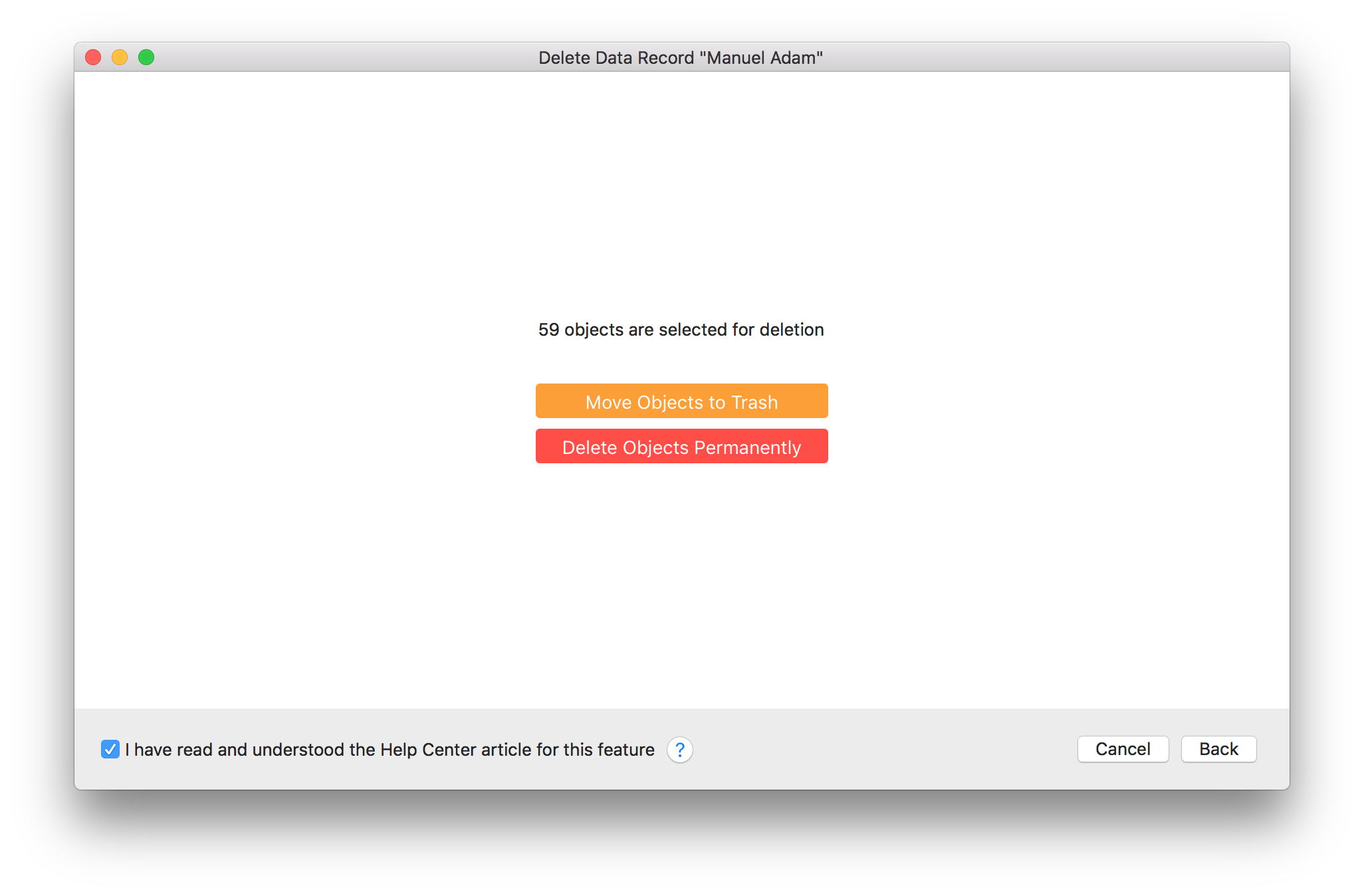
- Confirm the deletion process by choosing Continue
If you need help with the technical implementation of the deletion process, we will be happy to assist you within the framework of a support appointment.